Spokenword
A stage-ready iOS toolkit for slam poets.
iOS 17+ · iPhone & iPad · Zero Dependencies · 100% On-Device
$7.99 one-time. No subscription. No ads.
I'm a slam poet.
Spokenword is the app I needed and couldn't find. It started with one thought: wouldn't it be wonderful to perform your poem and see how much time you had remaining, at the same time, on the same screen?
See It In Action
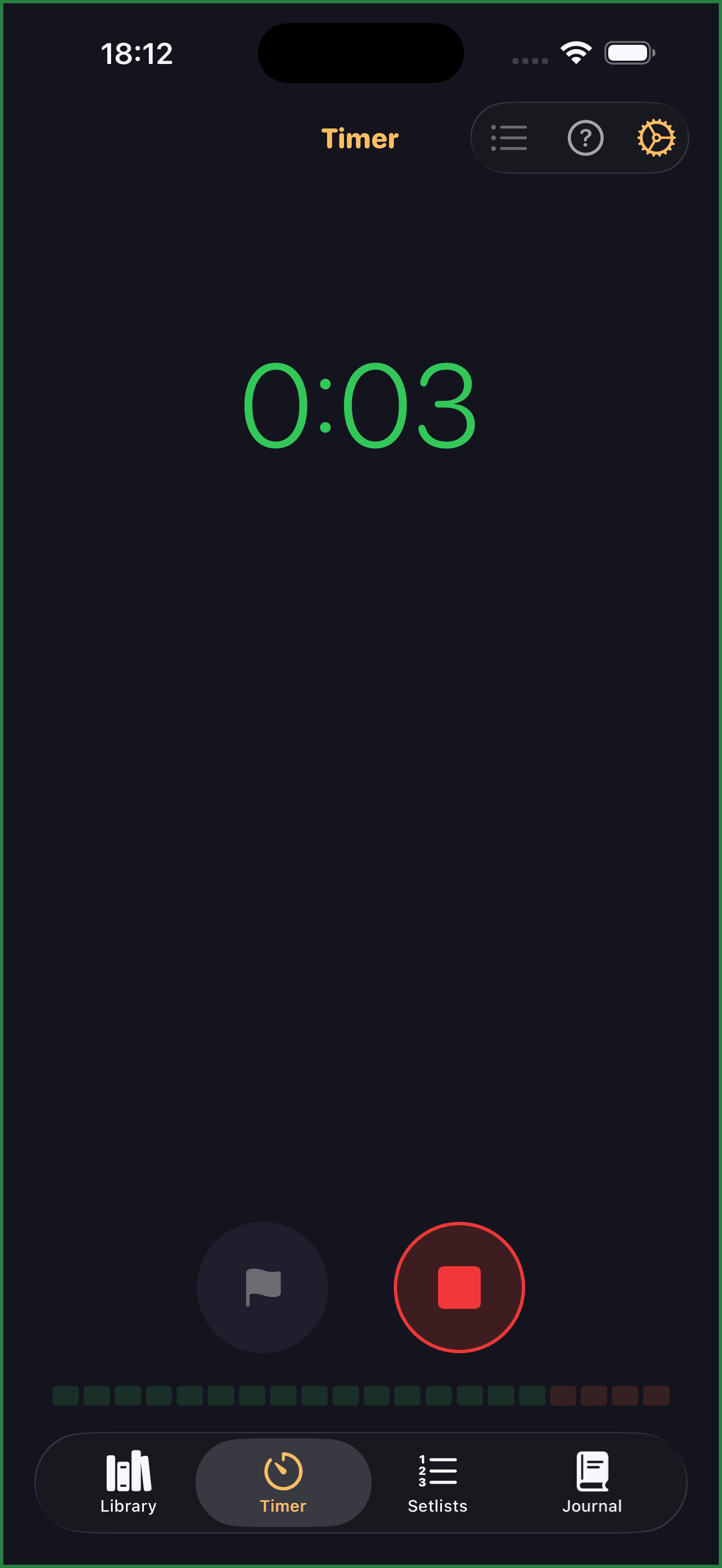
Slam Timer: see your remaining time while you perform.
Quick Actions: pin a poem to your home screen for instant stage access.
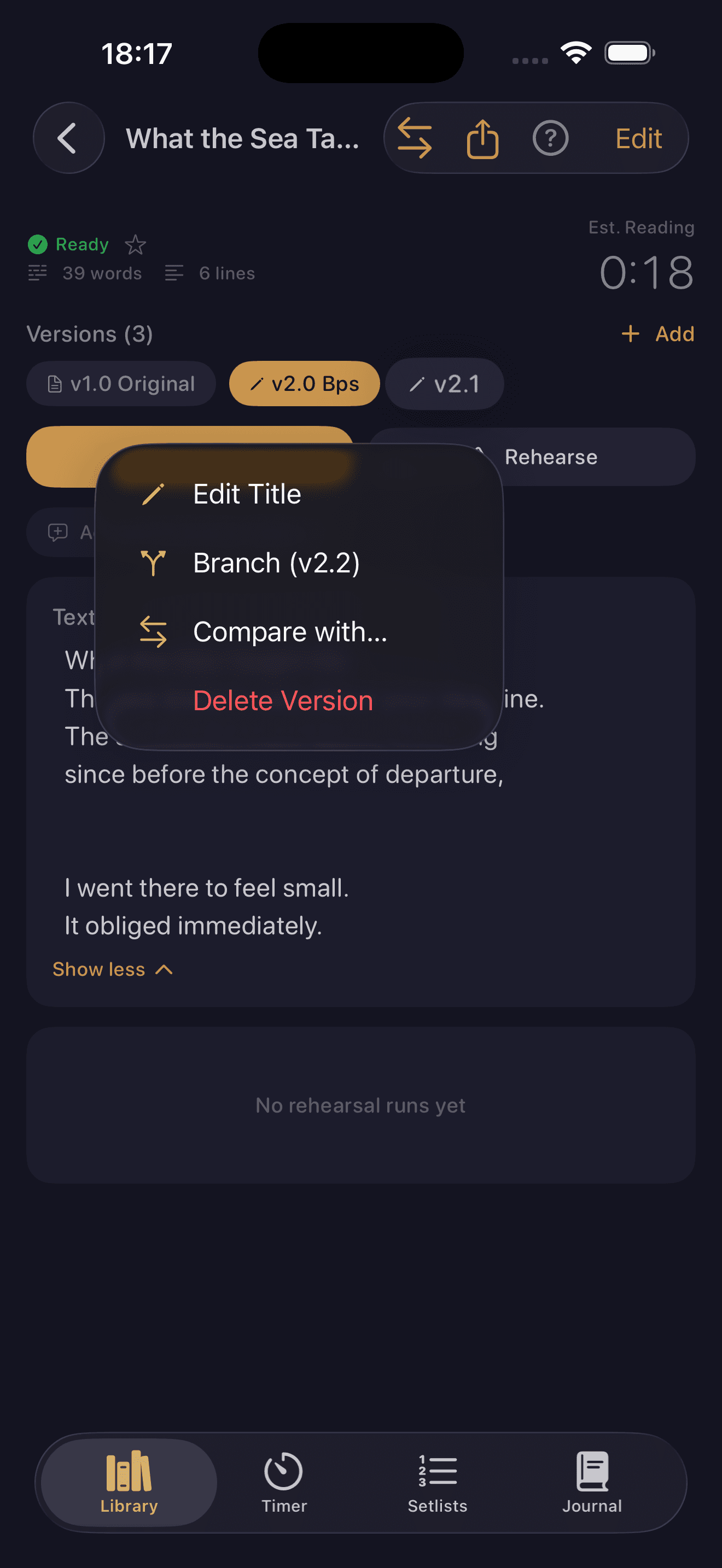
Version Branching: keep slam cuts, extended sets, and workshop drafts under one roof.
iPad multi-column: support while you perform.
Rhetoric analysis: see the techniques inside your poetry.
Why I Built This
That sounds small. It isn't. Every slam poet knows the moment when you've lost track of the clock and you can feel the penalty ticking. This app was built from that single, simple concept.
The version problem came next. I perform the same poem in different contexts: three minutes for a slam, two minutes for rapid-fire, with stanzas removed or added depending on the emotional arc I want to share that night. Each version needs its own identity, its own rehearsal history, its own notes. And after a performance, you have maybe five minutes before the memory starts fading. What landed, what didn't, what you changed in the moment without thinking. I needed to capture that before it was gone.
That got me thinking: could I bring data analytics to rehearsal? I wanted to record runs, play them back, and actually compare them. Not just listen, but understand: am I saying this the same way each time, or differently? Where do I rush? Where do I drift? That whole feature set, the pause maps, the consistency scores, the transcript diff, all of it runs entirely on-device. No data leaves your device. Ever.
The annotation system came from the same place. Sheet music tells a musician where to breathe, where to swell, where to pull back. I wanted that for spoken word. And when I record a rehearsal, I want to know: did I actually execute those marks, or did I perform a different poem to the one I planned?
The learning aspect is the one I feel most strongly about. I was never taught rhetoric at school. I still couldn't have named most of the techniques I was using. But I was using them, instinctively, every time I performed: anaphora, tricolon, volta. What this app can do is name them, show you where they live in your own work, and give you the language to deploy them deliberately. You layer the techniques, you see what you're building, and you get better at doing it on purpose.
There's also the question of scale. Imagine a prolific poet with hundreds of poems across years of work. This has to handle that cleanly, and let you export and back up on your own terms. Your work is yours. Nothing gets lost.
"Spokenword is a vehicle for learning. I hope it supports your journey the way building it has supported mine."
In the Wild
Spokenword has been used at Bankstown Poetry Slam and Bread and Butter Poetry Slam in Sydney, Australia — for both competitive slam and feature sets.
Tried Spokenword? I'd love to hear what you think.
Core Features
Slam Timer
Colour-coded zones visible in peripheral vision: green (safe), orange (warning at 2:30), red (grace period at 3:00), flashing red (penalties at 3:10+). Progressive haptic feedback at configurable checkpoints so the performer can feel the time without looking at their phone. Configurable for 2-min rapid-fire, 3-min standard, 5-min features, and custom formats. Lap tracking, run history, and built-in voice recording.
Poem Library
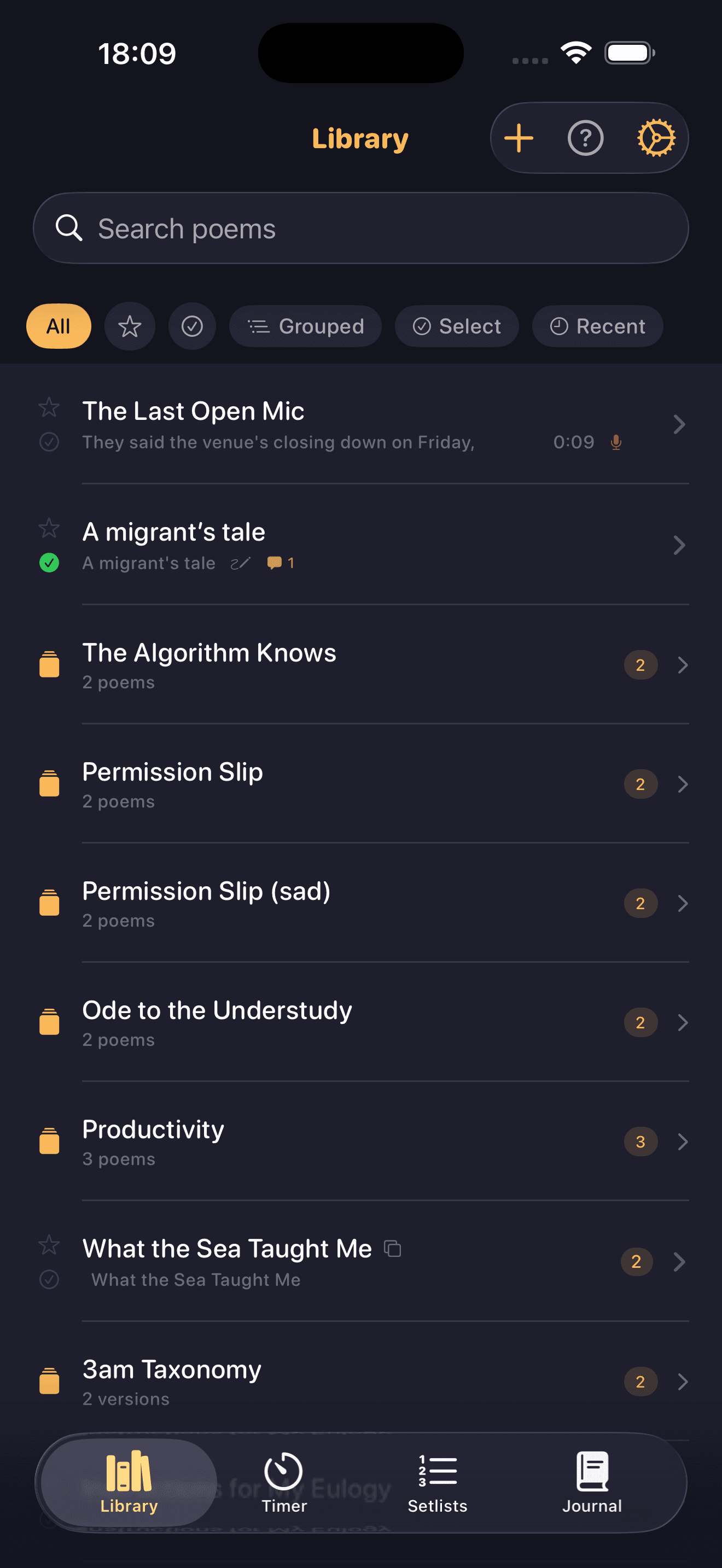
Version branching: Slam Cut, Clean, Extended, Workshop, and Feature variants all live under one parent poem. Each version carries its own rehearsal history, target duration, and annotations. Collections for grouping related poems. Tagging with NLP auto-suggestions, status progression from Draft through Practice to Performance Ready, and flexible filter and sort controls.
Version Branching
Three minutes for a slam, two minutes for rapid-fire, five for a feature set. Each version carries its own rehearsal history, annotations, and target duration. Compare any two versions side by side with inline colour-coded diffs to see exactly what changed.
Stage and Rehearsal
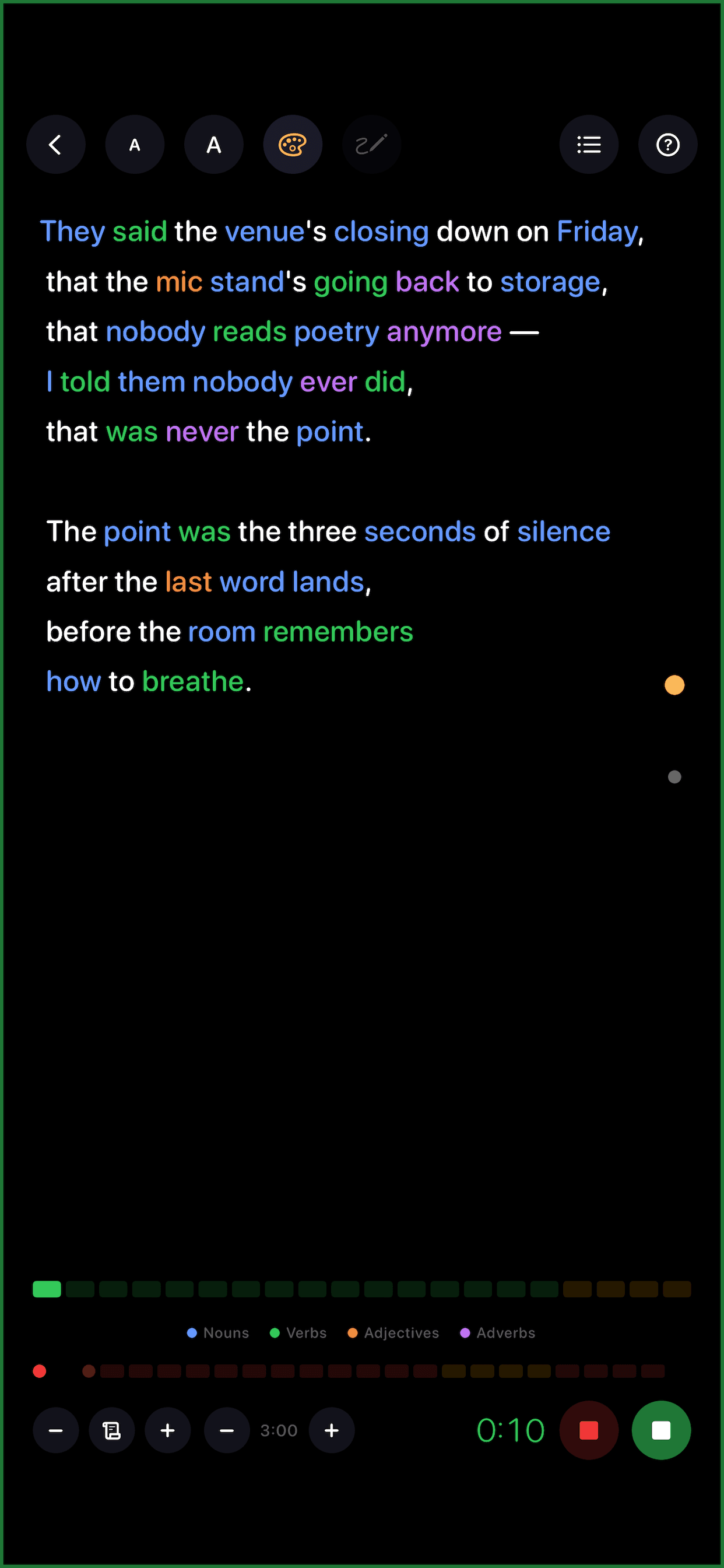
Two modes built for different moments. Stage mode: true black OLED background, auto-scroll with live speed controls, section navigation, and a pre-stage checklist for brightness, DND, and silent mode. Rehearsal mode: lap tracking, per-line comments, and voice recording with full playback.
Pre-Stage Checklist
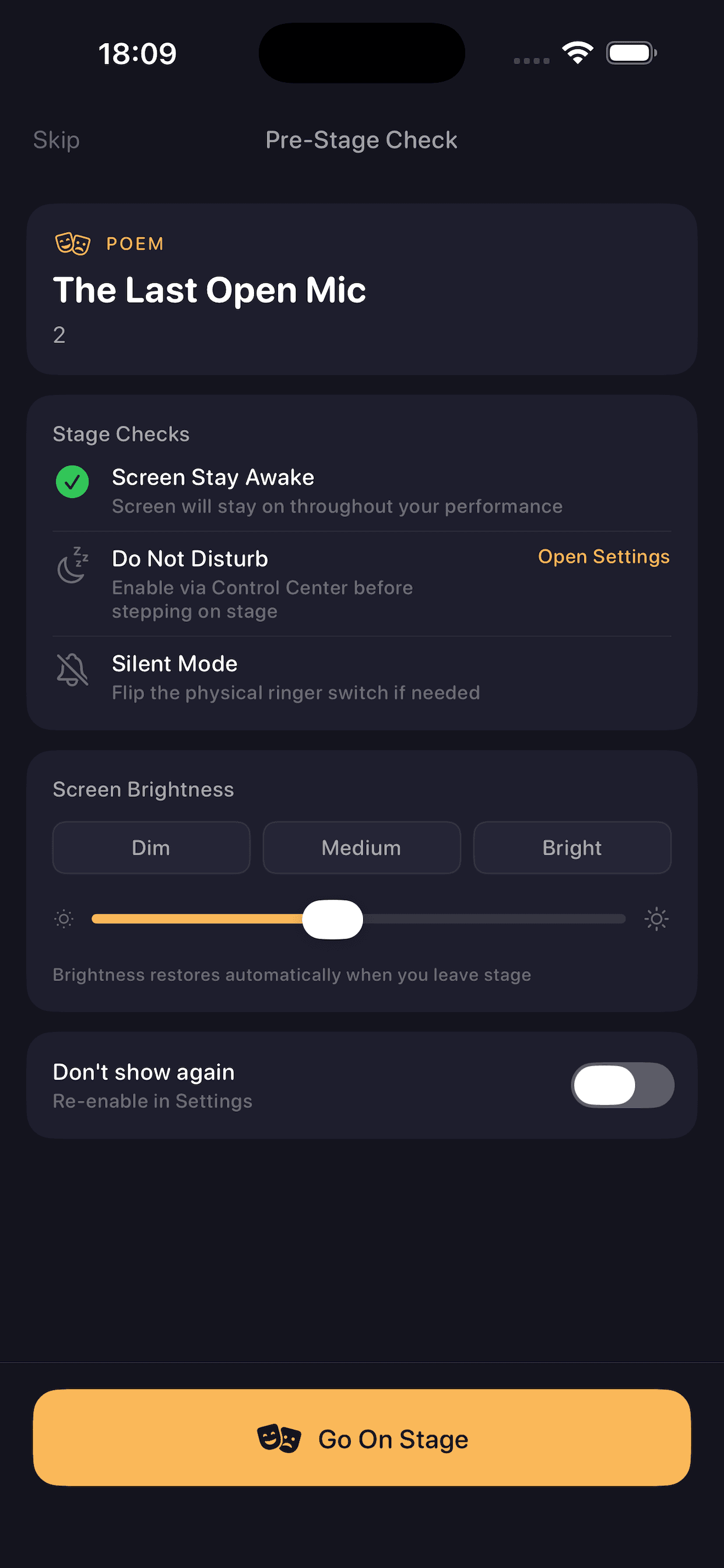
Before you go on, confirm the details that matter: screen brightness with Dim, Medium, and Bright presets; Do Not Disturb and silent mode reminders; screen stay awake. Brightness restores automatically when you leave stage.
Audio Analytics
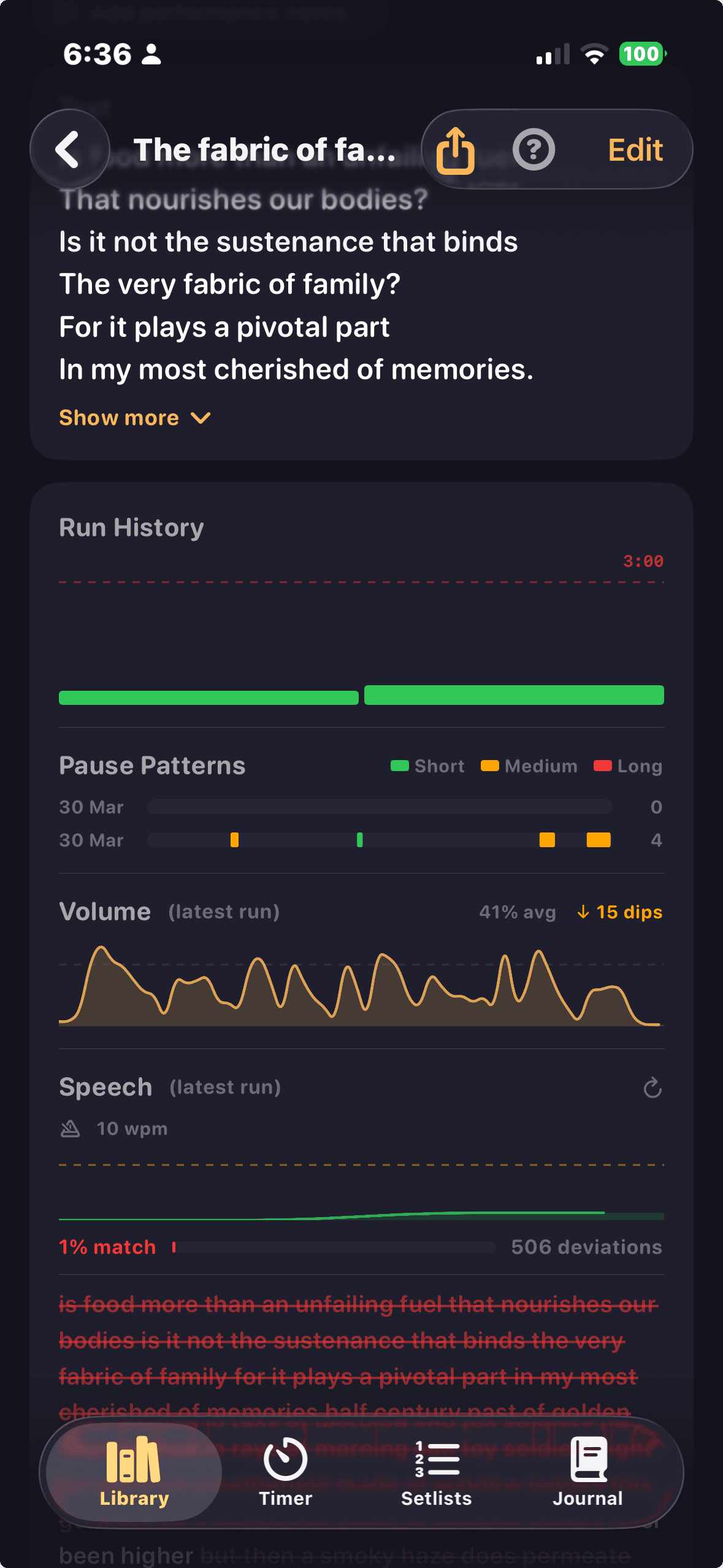
Six on-device analytics tools: run consistency scoring, pause pattern mapping, volume envelope, speaking rate analysis, transcript diff with habitual deviation flagging, and annotation vs actuality comparison. No data leaves your device.
Transcript Diff
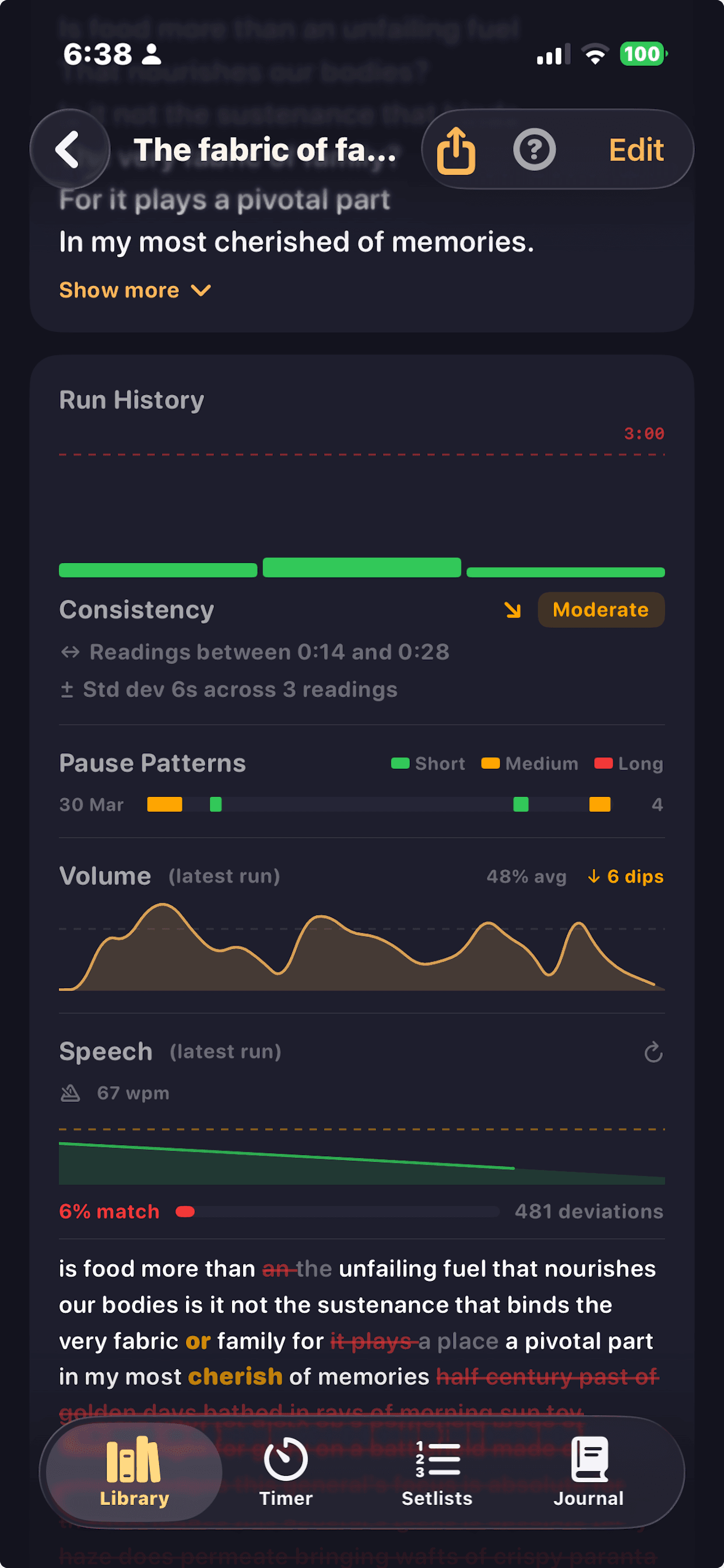
LCS alignment of your written text against what you actually said. Words matched, omitted, substituted, and inserted are all highlighted. Consistent deviations across runs get flagged as habitual rewrites: words your mouth has decided are better than your draft.
Setlist Builder
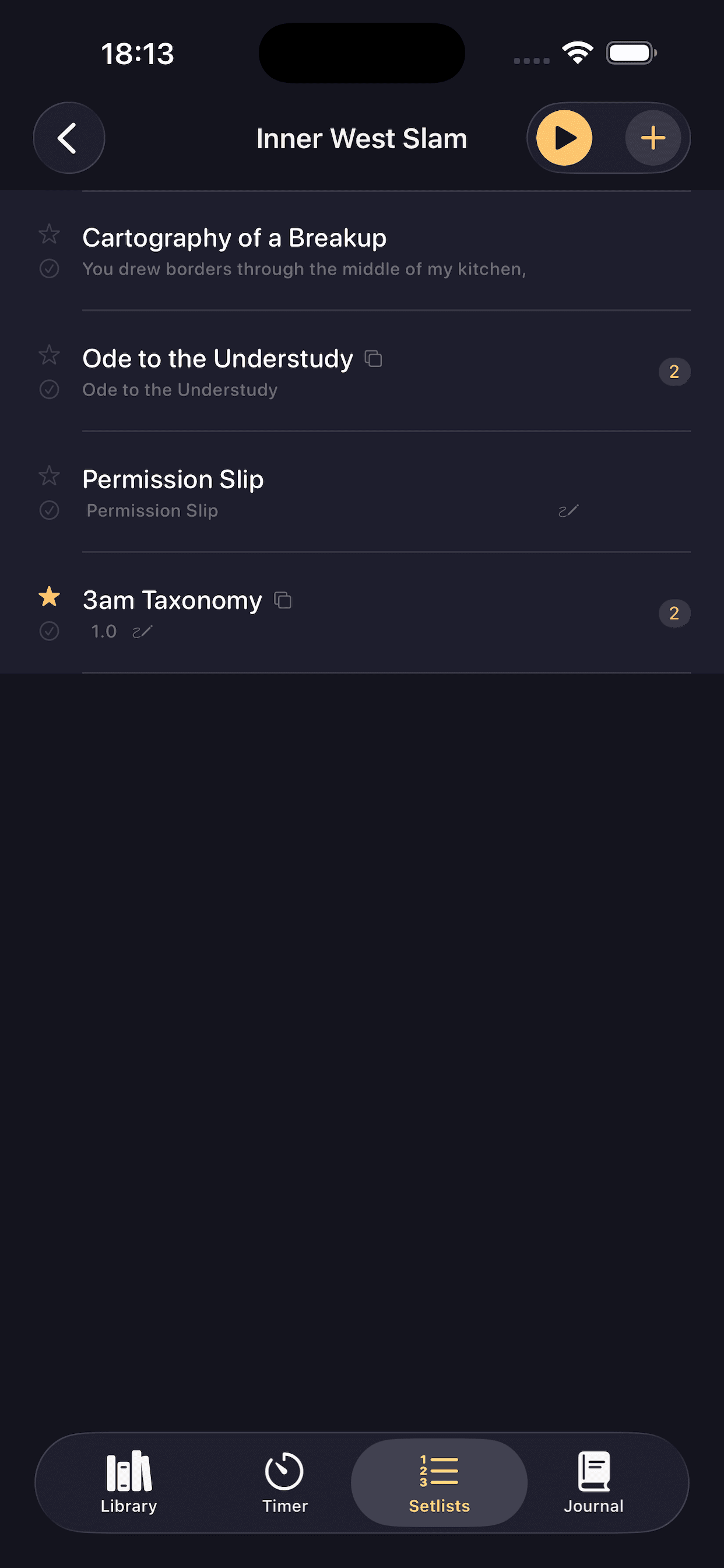
Drag-and-drop reordering for multi-round competitions. Per-entry version selection: use the Slam Cut for round one and the Extended for the feature. Cumulative time calculated from rehearsal averages. Set complete view shows the full programme at a glance.
Quick Actions
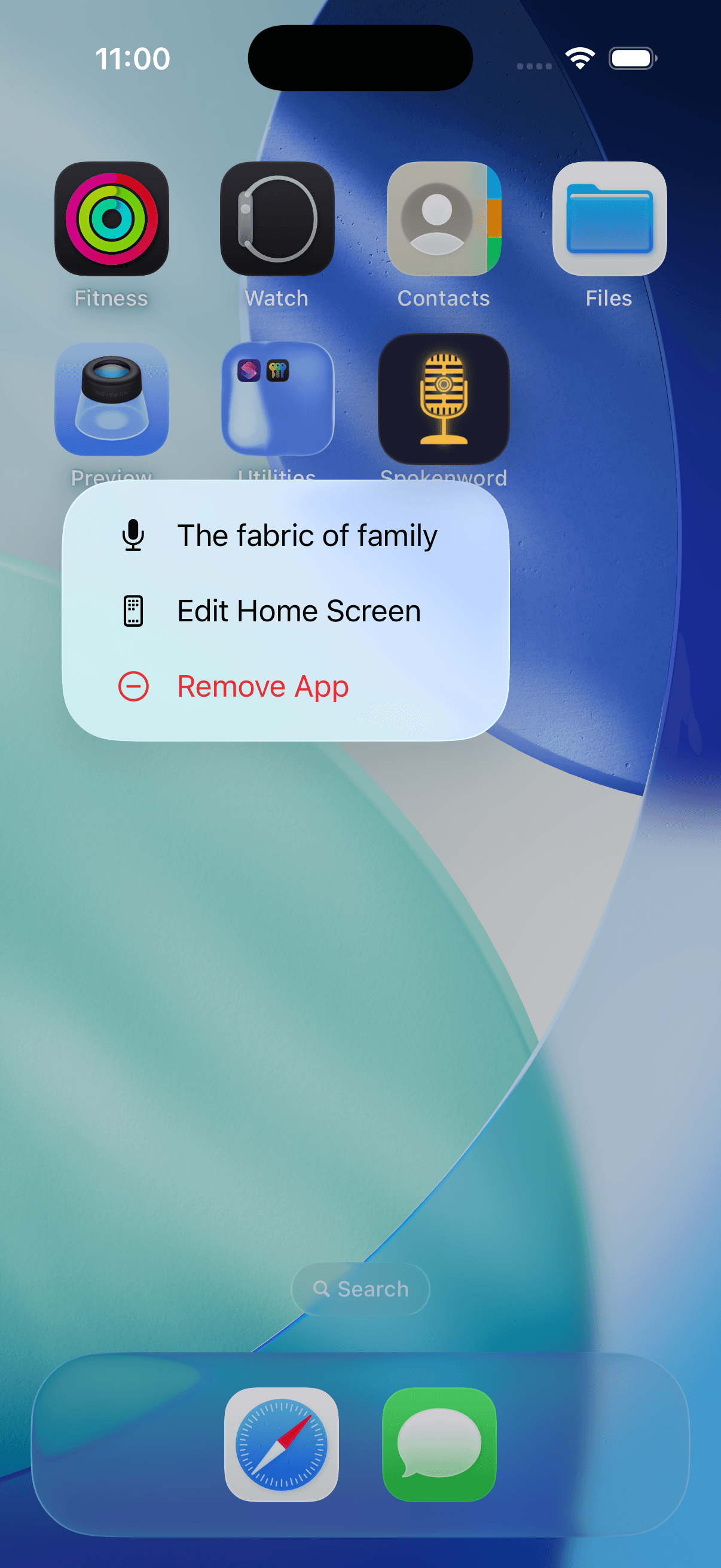
Pin a poem to your home screen for instant stage access. Launch directly into Stage mode with a single tap — no navigation required. Maybe never fumble finding your poem on stage again. 😅📌
Performance Journal
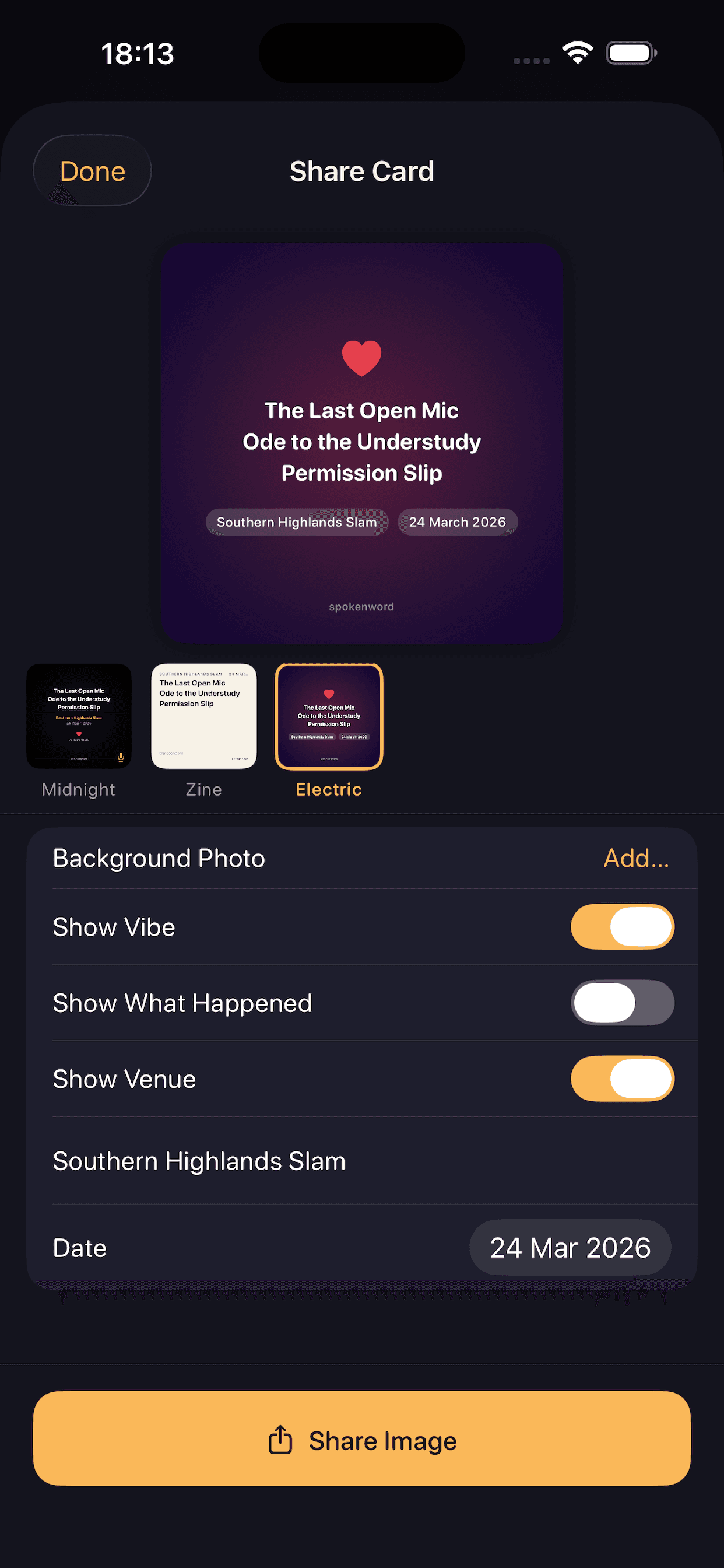
Log audience vibe at four levels after every set. Generate a shareable performance card with 12 card templates — dark, warm, and light. 1080x1080 PNG, ready for social. Tracks which poems work at which venues over time.
Import and Export
Import .txt, .rtf, and .md files directly from Files. Paste from clipboard with smart title extraction from the first line. Batch export all poems. Full share sheet integration via AirDrop, email, or save to Files. Monthly backup reminders keep your library safe.
iPad Experience
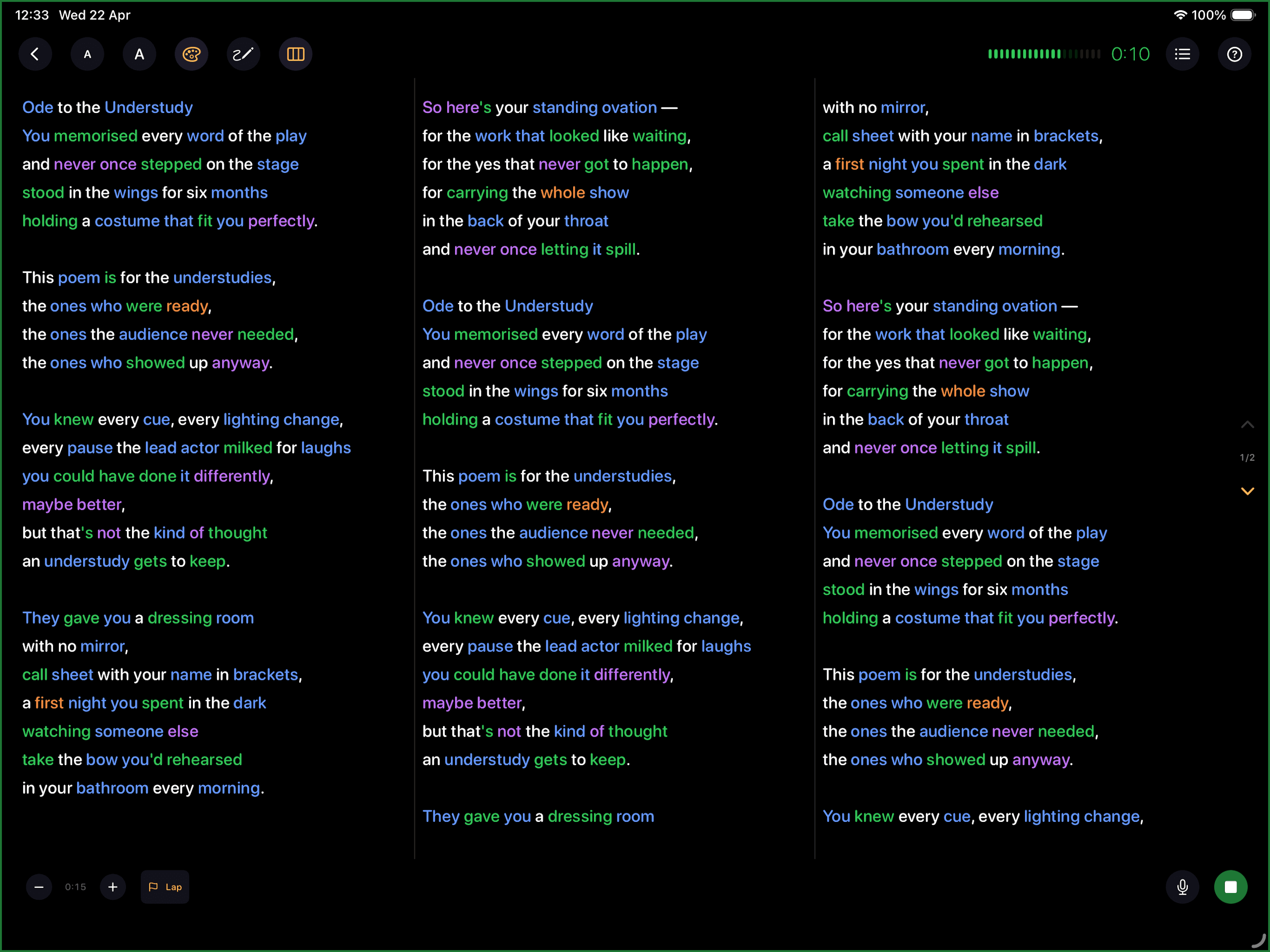
Multi-column stage view with annotations. Display poems across 1 to 4 columns.
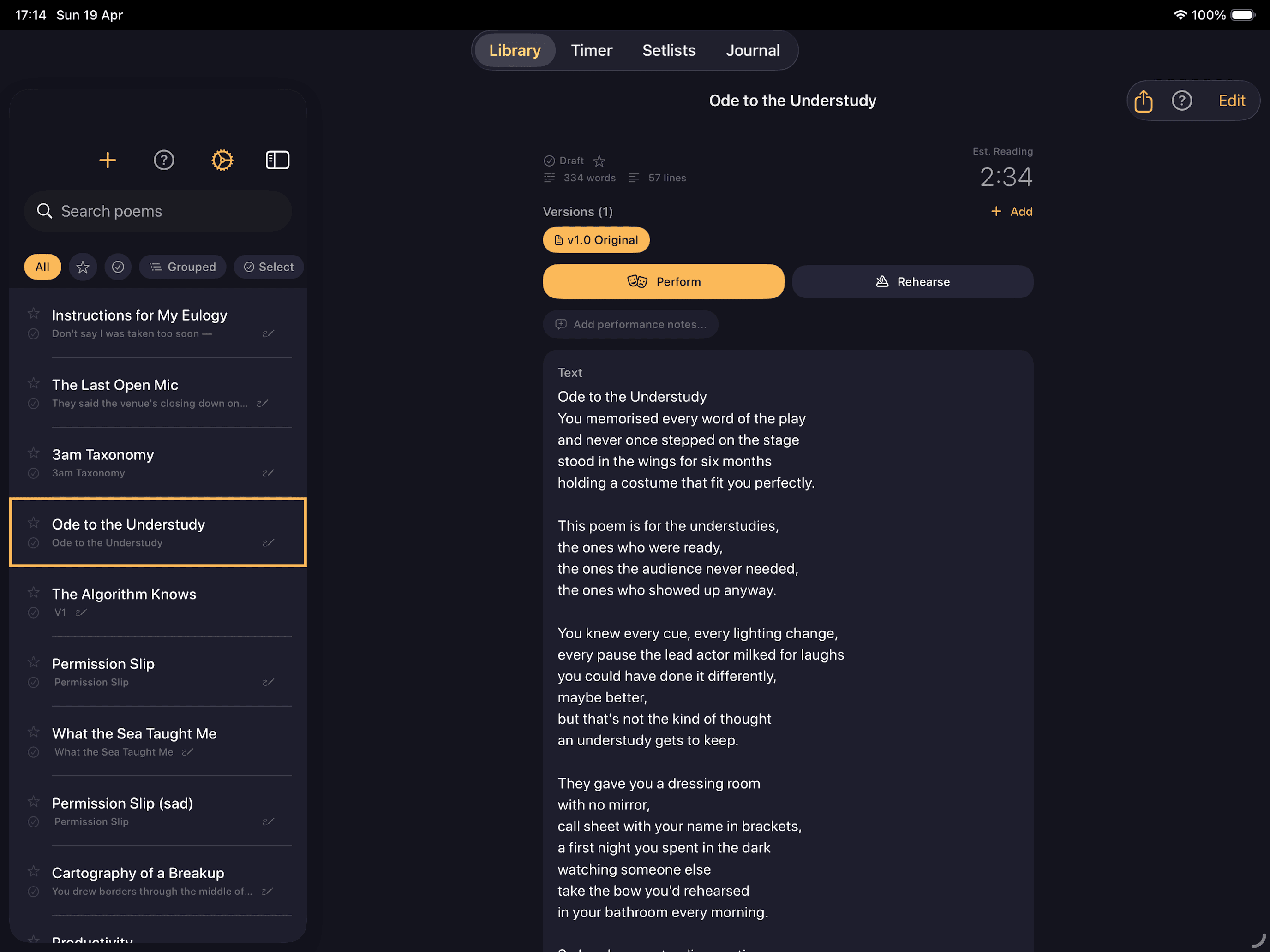
Split-view library in landscape
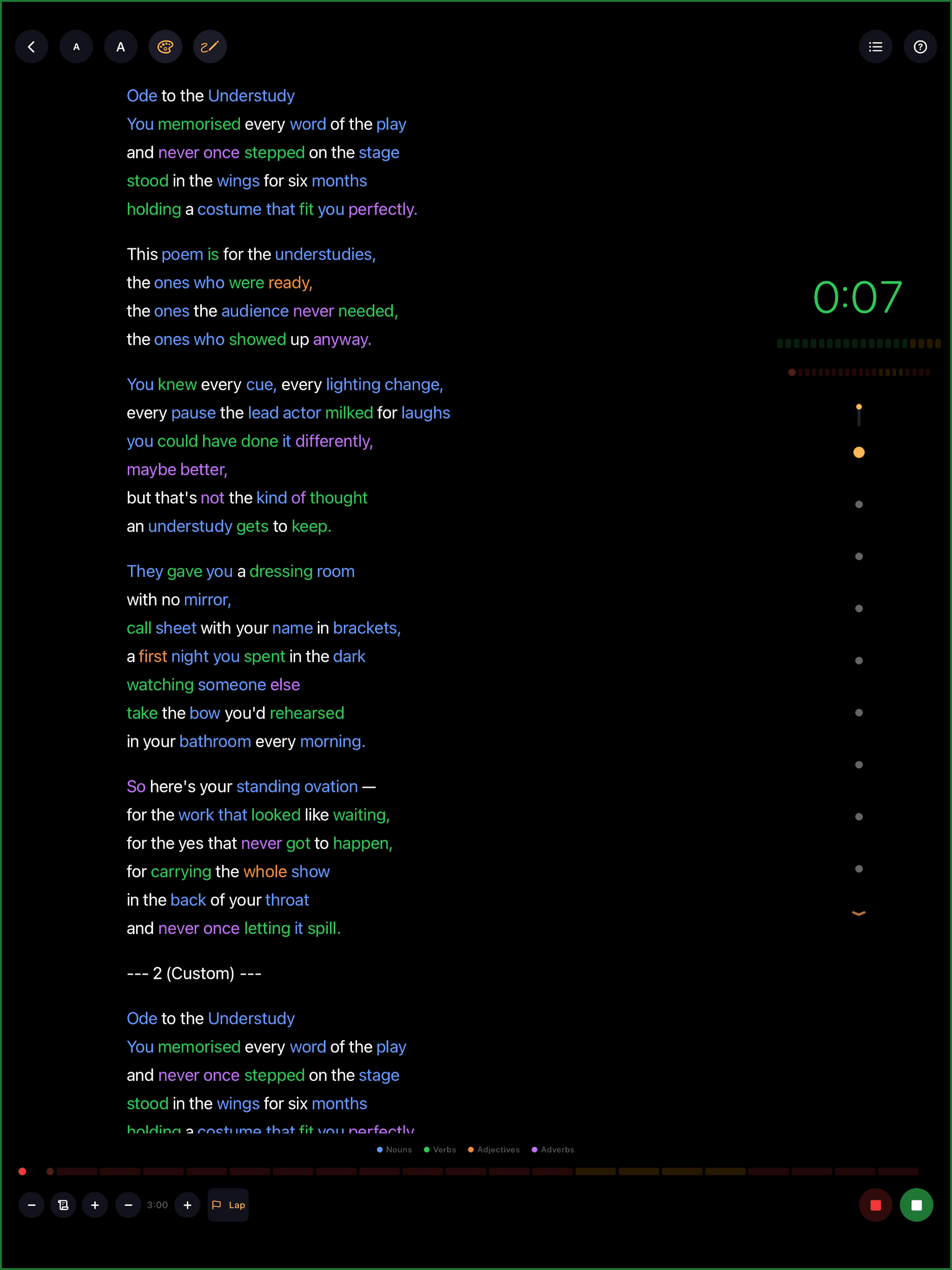
Side-by-side rehearsal
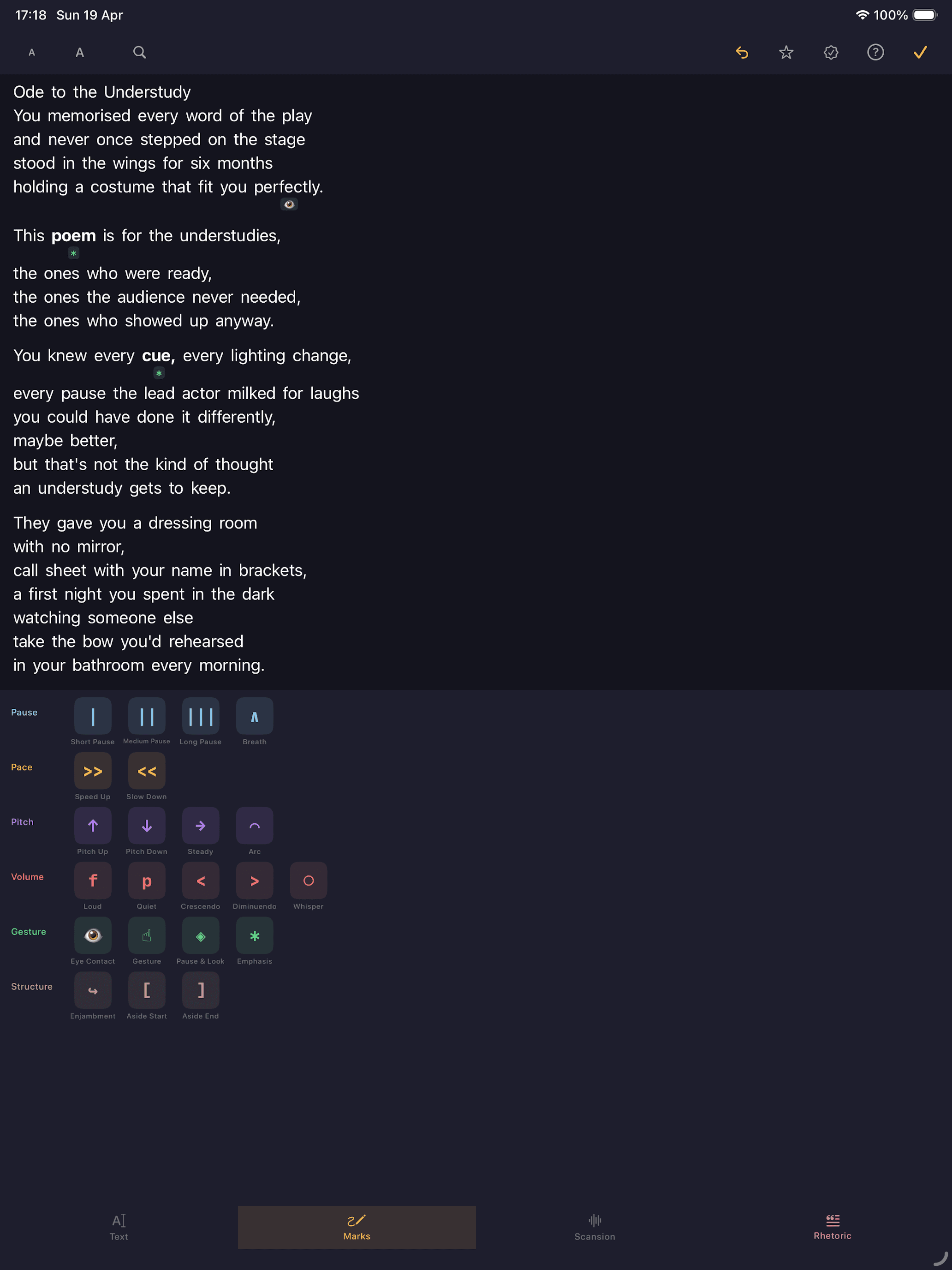
Poem editor on iPad
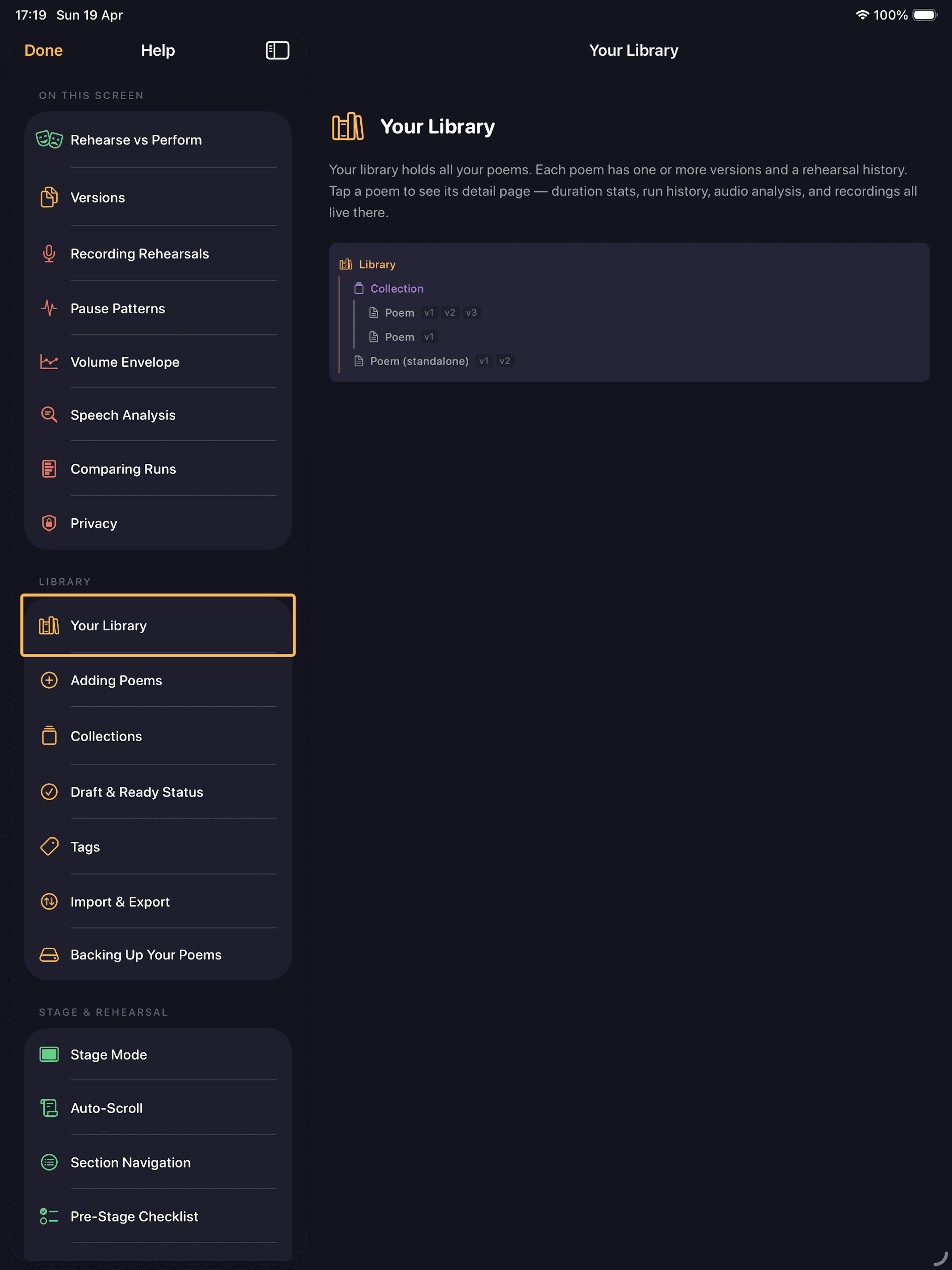
Help with split-view navigation
AI Coach
Spokenword uses AI for two specific purposes, both aimed at helping you analyse your own work. It doesn't write your poem for you. It doesn't take over. It looks at what you've already written and offers two lenses on it.
Lens One
Rhetorical Analysis
Surfaces the classical techniques inside the poem, the moves a strong piece is making whether you planned them or not.
Lens Two
Critique
A short critical reading from the position of a thoughtful peer, the kind of note a workshop leader might send when you share a draft.
Both run in the cloud. Both cost one credit per use. Both leave your library and recordings untouched on your phone. You decide what gets sent and when. The manual rhetoric layer further down the page is still there if you'd rather mark the techniques yourself. The Coach just does the noticing for you, then hands the decisions back.
Rhetorical Analysis
This lens reads your poem and surfaces the rhetorical techniques it's using, the moves a strong piece is making whether you planned them or not. It looks for 9 techniques drawn from the classical rhetorical tradition.
Anaphora
Repetition at the start of successive lines.
Epistrophe
Repetition at the end of successive lines.
Anadiplosis
The last word of one line begins the next.
Parallelism
Matching grammatical structures for rhythm.
Tricolon
Three parallel clauses or images.
Asyndeton
Deliberate omission of conjunctions.
Antithesis
Contrasting ideas placed in parallel.
Rhetorical Question
A question asked for effect, not answered.
Volta
A turn or shift in argument, tone, or perspective.
Each detection comes with the lines it appears on, a confidence rating (Strong, Moderate, Possible), and a short explanation of why the technique works in that specific place. You confirm what to keep. Dismissed suggestions are removed without a trace. The lens is sharpest on poems that already lean into structure, slam pieces, sonnets, work with deliberate refrains. It's quieter on free verse, which is the right behaviour: not every poem is built on classical moves, and the Coach won't invent ones that aren't there.
Critique
Instead of listing techniques, the Critique lens writes a short editorial response of about 150 to 250 words in the voice of a thoughtful peer reader, the kind of generous, considered note a workshop leader might send back when you share a draft. Each critique follows a deliberate shape:
- What's landing. A few sentences identifying a specific moment the reader was drawn to, anchored to a real phrase from your work. No vague praise.
- One open question. A single question about your intent, never a verdict in disguise. The kind a good editor asks when they want to understand the choice, not correct it.
- An optional gentle exploration. If there's something in the craft worth exploring further, one hedged suggestion framed as a possibility, not an instruction. Many critiques skip this. For strong poems, or poems dealing with vulnerable material, the two-movement version is the complete one.
The lens addresses the poem rather than the poet, names craft elements specifically, and treats unconventional choices as deliberate until proven otherwise. It will not write a fix for you. It will not rank your poem. It will not tell you whether your poem is good. It reads it, sits with it, and writes back.
On iPhone vs iPad
On iPhone, the AI Coach opens with two tabs at the top, Rhetoric and Critique. Tap to switch between them.
On iPad, you get a wider layout: your poem on the left, the AI's response in the middle, and any marks you've placed yourself on the right. Four tabs at the top let you switch between Rhetoric, Critique, Manual (just your own marks), and All (everything together).
Privacy
The AI Coach is the only feature in Spokenword that sends anything off your device, and only when you choose to tap Analyse or Generate Critique. Your library, recordings, manual annotations, journal entries, and setlists all stay on your phone. We don't store your name, email, or Apple ID. Your credit balance follows your Apple ID, so if you reinstall the app or switch phones, your credits come with you.
Credits
Every install starts with 10 free credits, enough to try both lenses on several poems before deciding whether to buy more. After that, credits come in packs of 100 for a single one-off purchase. The price shown on Apple's purchase sheet is what you pay, Apple handles currency conversion. One credit covers one use of either lens, regardless of poem length. Credits never expire. There's no subscription. If a request fails for any reason, no internet, server hiccup, content blocked by safety filters, no credit is taken. You only pay when the response actually lands.
"It will not write a fix for you. It will not rank your poem. It reads it, sits with it, and writes back."
The Annotation System
Musicians have sheet music: dynamics, tempo, articulation, breath marks. Spoken word performers have had margin notes and underlining. I wanted to close that gap.
Three annotation layers render inline with the poem text during rehearsal and on stage.
Scansion
Syllable-level stress patterns. Tap a word to expand into its syllables, then tap each syllable to mark stressed (/), unstressed (x), or caesura (//) for deliberate pauses. Rendered as coloured superscript inline with the text. Gold for stressed syllables, gray for unstressed, red-coral for caesura.
Performance Marks (22 delivery directions)
Six colour-coded categories. Marks visually transform word appearance inline: bold for volume, tight tracking for speed-up, superscript arrows for pitch.
Pause
Short Pause, Medium Pause, Long Pause, Breath
Pace
Speed Up, Slow Down
Pitch
Up, Down, Steady, Arc
Volume
Loud, Quiet, Crescendo, Diminuendo, Whisper
Gesture
Eye Contact, Gesture, Pause and Look, Emphasis
Structure
Enjambment, Aside Start, Aside End
Rhetoric Analysis (12 techniques)
A dedicated analysis screen for marking structural and persuasive devices across the full poem.
Interactive Tutorial (16 pages)
A guided tutorial teaches the full annotation system from first principles, with exercises. Accessible from Settings and from within the annotation screens.
"I haven't found an equivalent in any existing app. This was the feature that justified building a dedicated tool rather than just using a notes app with a stopwatch."
Rehearsal Intelligence
All six analytics features run entirely on-device. No network requests, no server, no data leaving the device.
Run Consistency Score
Standard deviation across run durations for a poem version, surfaced as a Tight, Moderate, or Variable rating with a trend arrow showing whether consistency is improving.
Pause Map
Silence detection plotted on a waveform timeline. Duration-coded markers distinguish natural beats from unintended hesitations. Compare pause patterns across multiple runs.
Volume Envelope
RMS loudness contour across the full recording. Multi-run overlay lets you compare how consistently you deliver dynamics. Cross-reference with annotation marks.
Speaking Rate
Words per minute via speech recognition, tracked in a 15-second rolling window. Sections above 150 WPM are flagged as rushing so you can identify where you lose control.
Transcript Diff
LCS alignment of written text versus what was actually spoken. Consistent deviations across runs are flagged as unconscious rewrites — words your mouth knows better than your draft.
Annotation vs Actuality
Compares planned marks against measured audio data. Shows how many of your intended delivery choices you actually executed: "You executed 7 of 12 planned marks."
Frameworks: AVFoundation, SFSpeechRecognizer, NaturalLanguage.
"Spokenword is a vehicle for learning. I hope it supports your journey the way building it has supported mine."
Available on the App Store$7.99 one-time. No subscription. No ads.
Coming Soon
In DevelopmentThe next release brings two AI lenses into the app, both opt-in, both built around analysis rather than generation.
AI lens, classical techniques
Rhetorical Analysis
Cloud analysis that reads your poem and surfaces the rhetorical moves it’s already making, with confidence ratings and line references. You confirm what to keep.
AI lens, editorial reading
Critique
A short response written in the voice of a thoughtful peer. Names what’s landing, asks one open question, and stops short of telling you what to do.
What's New
v1.3Multi-column stage view on iPad, editor refinements, and bug fixes.
iPad Stage Columns
Multi-column stage view on iPad. Display poems across 1 to 4 columns in Perform and Rehearsal modes with annotation-aware measurement.
Column Selector
Column count selector in the stage top bar with smooth layout transitions.
Editor Improvements
Refined top bar layout with tighter icon spacing and improved page navigation in single-column paged mode.
Bug Fixes
Fixed editor content shifting on iPhone annotation mode, layout overflow in annotation toolbar, and stability improvements.
Technical Architecture
Architecture
SwiftUI + @Observable, environment-based dependency injection
Dependencies
Zero. Pure Apple frameworks only
Platform
iOS 17+, iPhone & iPad
Audio
AVFoundation: AAC 128 kbps mono recording, RMS analysis, waveform rendering
Haptics
CoreHaptics: progressive timer feedback, pre-pooled pattern generators
Persistence
Atomic per-collection JSON files via FileStorageManager. All data on-device, no network requests
Speech + Language
SFSpeechRecognizer for transcript and rate analysis; NaturalLanguage for diff alignment
Text Rendering
TextKit2 for inline annotation rendering — marks transform word appearance without reflow
Share Your Feedback
Tried Spokenword? I'd love to hear what you think. It takes under a minute.
Give FeedbackYour feedback is collected securely via Google Forms.